From image to shoppable gallery
A current written walkthrough of Lookboards. These stills show the redesigned local app with original sample illustrations and example products. They demonstrate the editing interface; authentication and theme installation must be tested in Shopify.
Lookboards is free to install and use. It needs no separate account or billing step. Existing merchants can open it from Apps in Shopify. The App Store listing remains delisted pending Shopify’s reinstatement process.
1. Upload a look
Open Looks, choose Upload look and select a JPEG, PNG or WebP image, up to 10 MB and 25 megapixels. Wait for Shopify’s image processing to finish. Open Image details to add a title, description and useful alt text.
Uploads, including source images, are public Shopify Files even for draft boards. Only use content you have permission to publish. Removing a look or uninstalling keeps those files in your store.
2. Connect the details
Click the image to add a hotspot and drag its point to reposition it. Search for a Shopify product variant directly in the card, or choose Use a manual link. Product titles, links and prices refresh from Shopify when the gallery loads. Options contains a custom label override and exact coordinates. Select Done, then Save look to persist your edits.
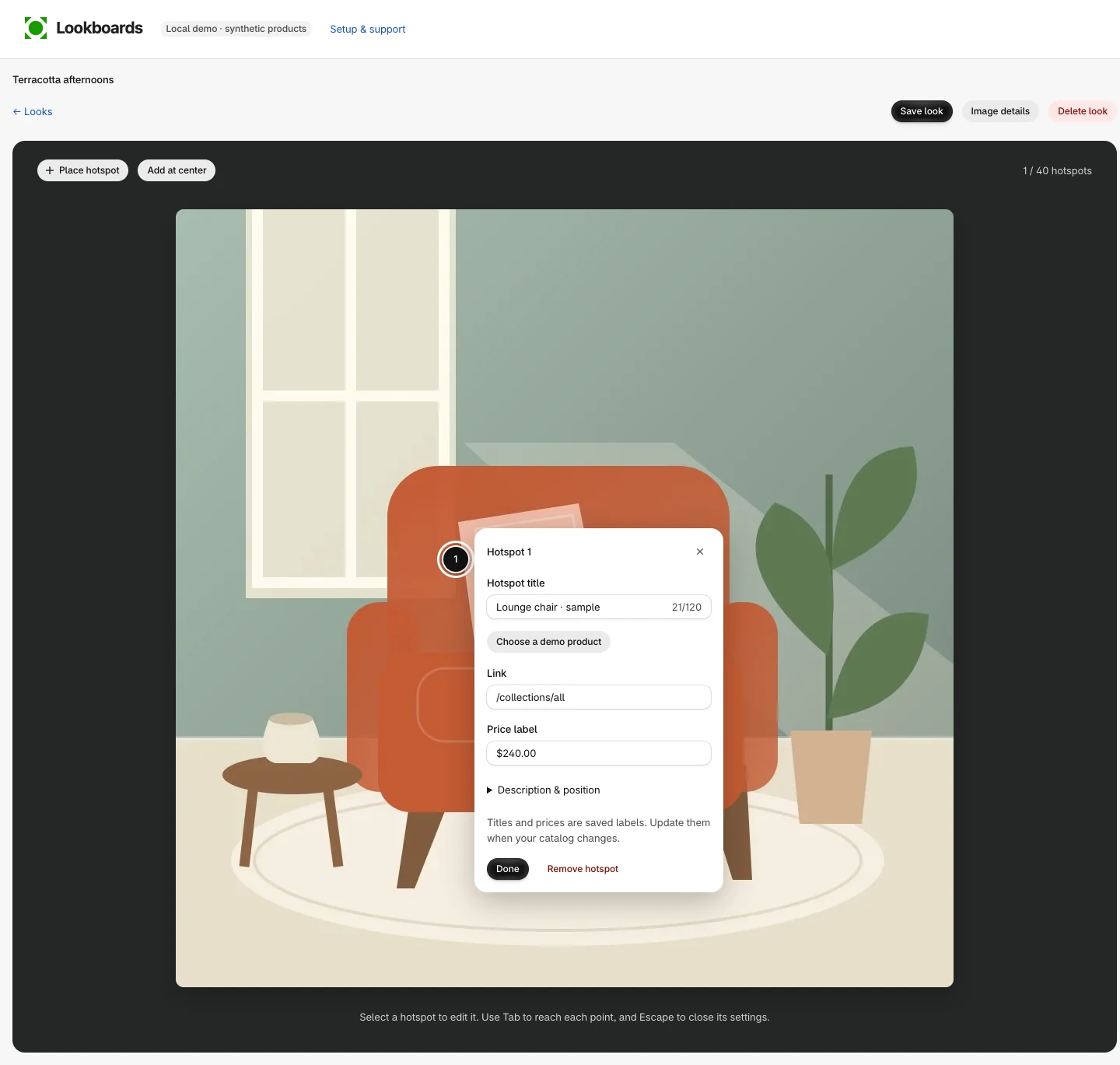
3. Design your board
Open Boards and select Create board. Use Add looks or Recent looks to build your collection. Drag images to arrange them. In Board settings, choose frames, columns, spacing, corners and font.
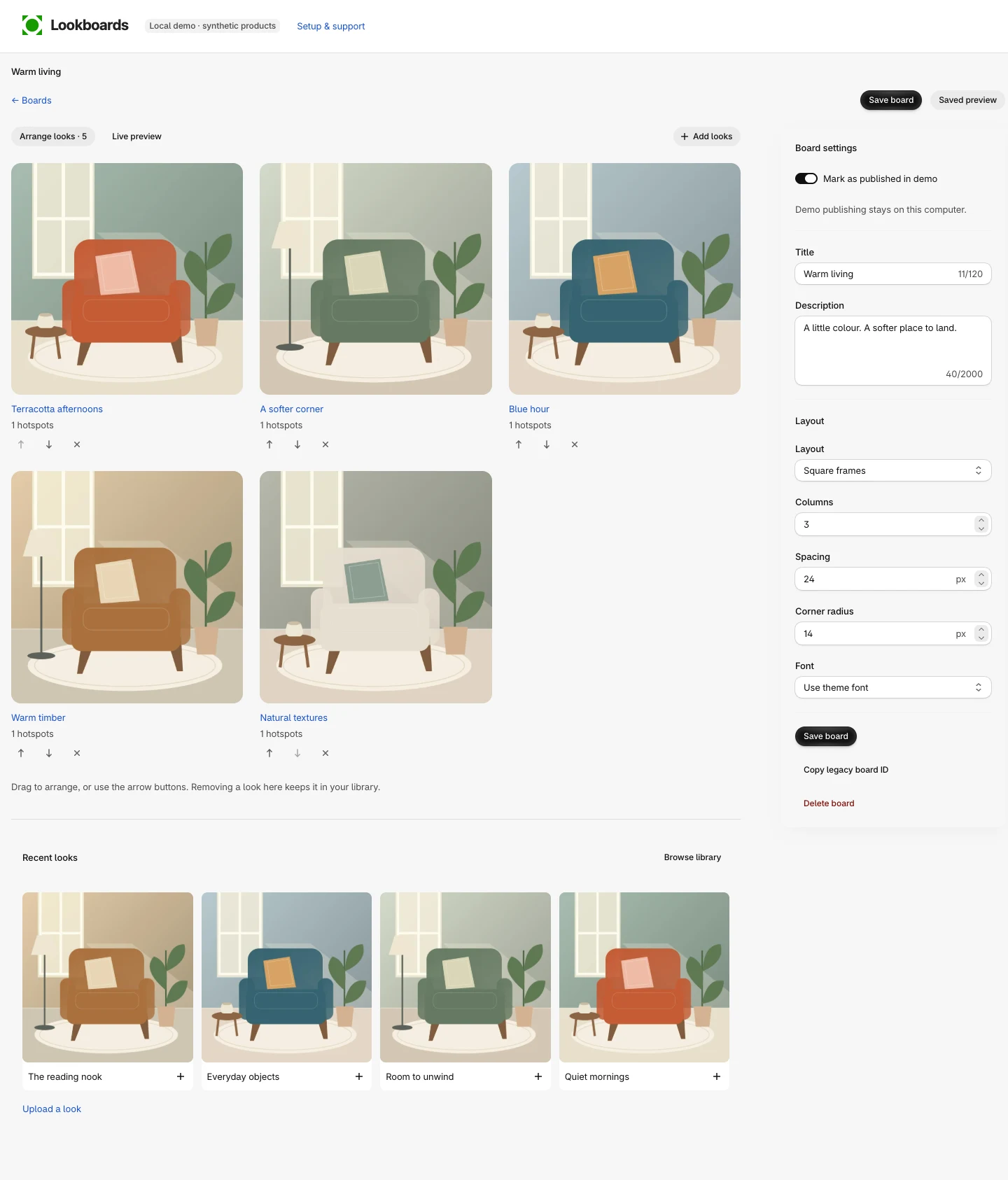
4. Publish and add to theme
- Enable Publish to storefront and select Save board.
- Choose a Theme template and select Add to theme.
- In the Lookboards gallery block, select Board and choose the saved board by name.
- Position the block and save the theme. Preview the page and test its hotspots.
For a draft theme or custom template, open its theme editor and use Add section → Apps → Lookboards gallery. Existing Legacy board ID blocks still work. See the full setup and troubleshooting guide.
Review checks
On an authorized review store, check embedded sign-in, real product and variant search, image processing, saved edits after reload, published gallery delivery, theme installation and uninstall behavior. Local demonstration screens do not establish those integration results.
This guide replaces the earlier narrated slideshow. Questions go to Patrick Campbell in Australia at pat@ptcampbell.me. Read the privacy policy and terms for data handling and service details.